
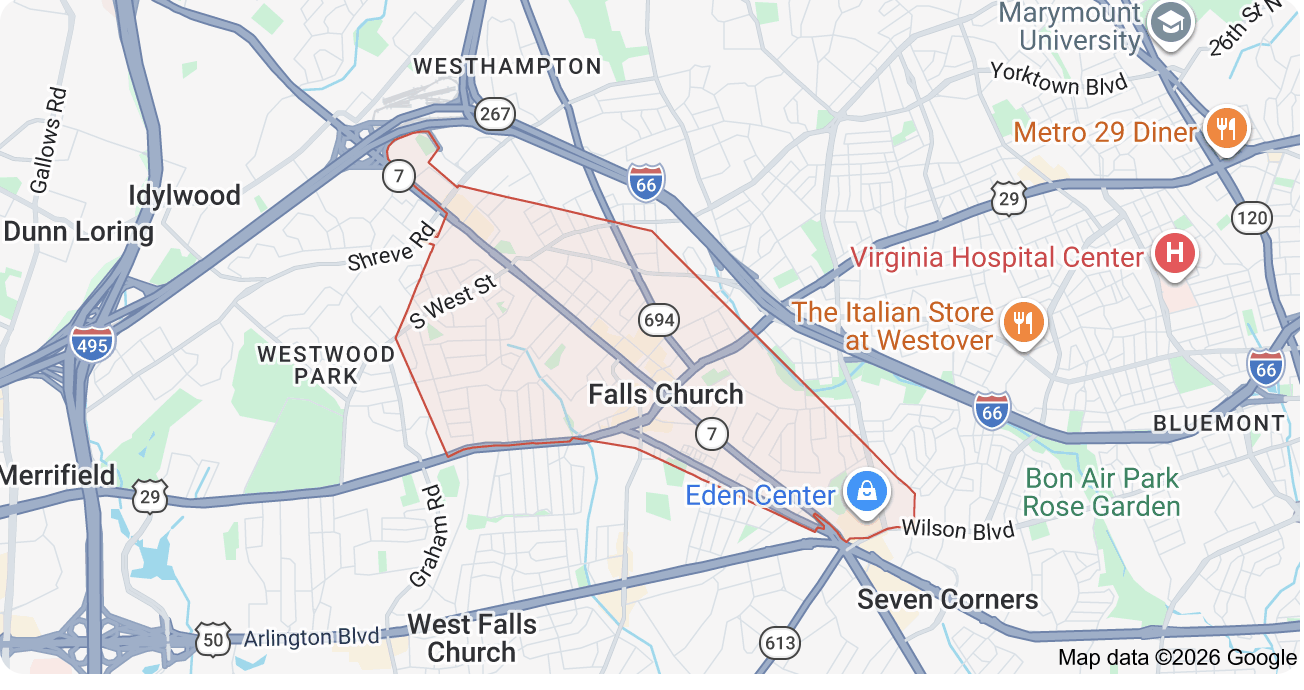
You sit down to stream a movie, hop on a video call, or just browse the web, and your connection crawls. The spinning wheel of death appears. It is frustrating, especially when you rely on the internet for work, school, and entertainment. If you live in Falls Church, Virginia, you are not alone. Many residents in this area deal with slow WiFi, and the causes are often tied to the unique characteristics of local homes and the available internet services. In this article, we will walk through the most common reasons for slow internet in Falls Church and what you can do about it. If you have tried wifi boosters or need boosters we have the ones that actually work! Feel free to contact us at www.TechsInCars.com We are Falls Church Natives and travel around the VA / DC / MD area making computer and network repair house calls. You can also text or call us at 703-587-3330
Common WiFi Slowdown Issues in Falls Church Homes
Falls Church is known for its mix of historic homes and modern developments. While charming, older construction can create real challenges for wireless signals. Even newer homes can have their own set of problems. Here are some of the most frequent causes of slow WiFi in this area.
Router Placement and Signal Obstruction
Where you place your router makes a big difference. A router tucked away in a corner of the basement, behind a large metal filing cabinet, or inside a closet will struggle to send a strong signal throughout your home. Walls, floors, and large appliances all block or weaken WiFi waves. In many Falls Church homes, particularly older ones with plaster and lath construction, signals have a tough time traveling from room to room. Ideally, your router should be in a central location, elevated, and out in the open.
Thick Walls and Interference from Older Construction
Homes built decades ago often feature thick plaster walls, brick, or even stone. These materials are great for keeping the weather out but terrible for wireless signals. Plaster, in particular, contains metal lath that acts like a shield for WiFi. If your modem and router are on one side of the house and your home office or living room is on the other side, you are likely experiencing interference. Simple solutions like moving the router closer to your main living area or using a mesh network can help, but sometimes the best fix requires professional assessment.
Outdated Equipment
Your internet is only as good as the devices that deliver it. An old router that cannot handle modern speeds or the latest WiFi standards will bottleneck your connection. If your router is more than a few years old, it may not support the higher speeds offered by your internet plan. The same goes for older laptops, phones, or smart TVs that use outdated WiFi chips. Upgrading your router or network adapter can instantly improve speed, even without changing your internet service plan.
Too Many Devices on the Network
Modern households are packed with connected devices. From smartphones and tablets to smart TVs, streaming sticks, gaming consoles, and smart home gadgets like thermostats and doorbells, everything competes for bandwidth. When too many devices are active at once, your router can get overwhelmed. This is especially common during evening hours when everyone in the family is online. If you notice your WiFi slowing down at certain times of the day, an overloaded network might be the culprit.
ISP Throttling and Network Congestion
Sometimes the problem is not inside your home at all. Your internet service provider (ISP) may deliberately slow down your connection if you exceed a data cap or during peak usage hours. This is known as throttling. Additionally, if many neighbors are online at the same time, especially on cable internet connections, you may experience congestion that reduces your speeds. Switching to a fiber optic plan, such as those offered by local providers, can often help because fiber handles high demand much better than older cable lines.
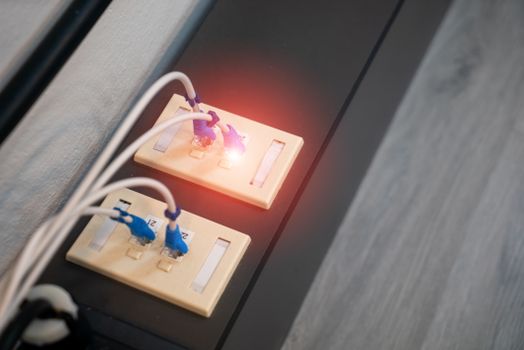
Speeds shown are “up to” and are not guaranteed. Actual speeds depend on your equipment, network conditions, and plan terms. Availability percentages are approximate based on provider coverage maps. Prices are promotional and may require contracts, auto-pay, or bundle discounts. Taxes and fees are extra. For the most current details, check directly with each provider.
If you currently have a cable or satellite plan and your speeds are consistently slow, switching to a fiber provider like Verizon Fios or Cox could make a noticeable difference. Fiber offers higher speeds and better reliability than older technologies.
When to Call a Professional
Sometimes no amount of moving the router or turning off extra devices fixes the problem. If you have tried basic adjustments and your WiFi is still slow, it may be time to bring in someone who can test your network thoroughly. A professional can check for signal interference, measure your connection speeds at different points in your home, and recommend upgrades to your router, modem, or wiring. Local tech support options exist, such as help from companies like Hellotech that offer on-site assistance in Falls Church. Residents have also been seen seeking local specialist help in community forums, showing that this is a common need.
For those who prefer a friendly, jargon-free experience right at their doorstep www.TechsInCars.com makes house calls. We have wifi boosters and we have the ones that actually work! Feel free to contact us at www.TechsInCars.com we are Falls Church Natives and travel around the VA / DC / MD making computer and network repair house calls. You can also text or call us at 703-587-3330 A technician can come to your Falls Church home, diagnose the issue, and get your internet working faster. Whether you need help with router placement, network configuration, or figuring out if your service plan is adequate, having a knowledgeable person on site saves time and frustration.

Frequently Asked Questions
Why is my WiFi slow even though I pay for high-speed internet?
Your internet plan may offer high speeds, but the actual speed you get depends on many factors. Outdated equipment, thick walls in older Falls Church homes, too many connected devices, or network congestion can all reduce your speeds well below what your plan promises. A professional can test your connection and identify the bottleneck.
Does switching to fiber optic internet in Falls Church fix slow speeds?
Fiber optic internet, like Verizon Fios or Cox fiber, generally provides faster and more reliable speeds than cable or satellite. In Falls Church, fiber is widely available and can handle heavy usage better. Switching to fiber often helps, but your home network equipment and layout still play a big role in your final speed.
How can I tell if my Falls Church home has interference from thick walls?
A simple test is to stand in different rooms with your phone and run a speed test. If speeds drop significantly as you move away from the router, walls and obstacles are likely blocking the signal. Older Falls Church homes with plaster or brick construction are common sources of WiFi interference.
What is the fastest internet provider in Falls Church, VA?
Based on available data, Verizon Fios offers the fastest wired speeds in Falls Church, with fiber plans reaching up to 2300 Mbps and 100% availability. Cox Communications also offers fiber speeds up to 2000 Mbps with around 88% availability. Actual speeds vary by plan and location.
Should I call a professional for slow WiFi help in Falls Church?
If you have tried moving your router, reducing device usage, and checking your plan, but speeds remain slow, a professional onsite visit can help. A technician can address issues specific to your home, such as wiring problems, signal dead zones, or outdated equipment. Services like Techs In Cars offer house calls in Falls Church for exactly this reason.
If slow WiFi is driving you crazy and you live in Falls Church or the surrounding areas, give www.techsincars.com a call at 703-587-3330. We will send a friendly technician to your home to diagnose the problem and get your network running at its best. No jargon, just fast, reliable help.